Accessing a home PC from work or work PC while on trip is a common problem. How often coming to work have you reminded that forgot important files at home? How often traveling have you reminded that forgot orders database on your work computer? How much time have you spent on explaining your colleagues where to find the necessary files and how to send them?
Stop wasting your time! Now you can access your PC resources remotely from any computer connected to the Internet. No any additional software installed is required (for example, GoToMyPC, Pc Anywhere and other programs need both client and servers parts). Outlook Remote Access add-on is the solution you are looking for!
Why Outlook Remote Access?
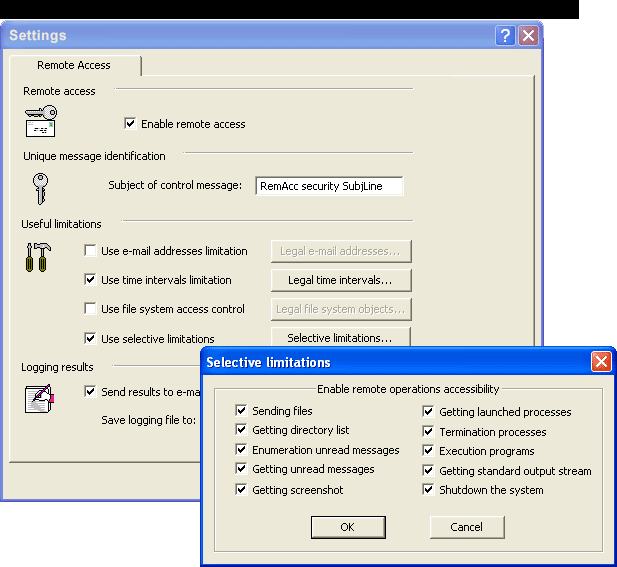
Outlook Remote Access plug-in provides an easy, effective and secure way to retrieve the files, launch the programs, make screenshots, check for new mail and shutdown the computer remotely. You can manage your computer by sending e-mail commands. Once the message with your commands is received on your remote machine, Remote Access plug-in scans it and executes all the commands.
Outlook Remote Access is a secure remote administration tool. There are many various security settings provided, such as IP address security, FROM-email address check, password checking etc. There is no way for any unwanted intrusion to your PC even if you use the default security settings.
The main and unique features of Remote Access are flexibility, safety and user-friendly interface. You can send a message with several instructions. They will be executed instantly and a report will be sent to you. The basic commands are:
1. Retrieve a file from a remote computer;
2. Get a directory listing (folder contents) from a remote machine;
3. Shutdown Windows remotely;
4. Get a screenshot from a remote computer;
5. Execute a program on a remote computer;
6. Run DOS program in a command line;
7. Check and forward new mail from Outlook
Why not to try it right now FREE?

 MP3 Audio Recorder - Record any sound and audio stream from PC or internet.