Create Great Looking Presentations, Demonstrations and Tutorials with Demo Builder version 5.0
Demo Builder is the experts authoring tool of choice for creating professional and fully interactive application simulations, presentations and tutorials.
There is no complex interface and no previous programming knowledge is required. You ll be up and running and creating superior presentations in no time.
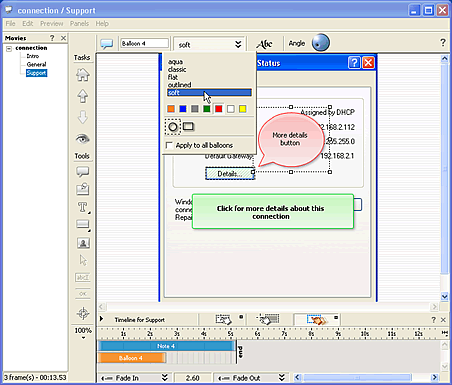
Demo Builder version 5.0 further extends and expands on the features available in previous versions to enable you to create audio-visual movies that show how software and processes work. Automatically capture all actions taken in a running application, which can then be edited and annotated to produce interactive demonstrations and simulations.
Educators and eLearning Creators can drastically reduce the time required to create high quality courseware with Demo Builder s advanced audio-visual and editing capabilities - including the addition of full two-way user interactivity.
Technical Support and HelpDesk Staff can squash trouble tickets before they even get raised with a Demo Builder movie that allows users to actually see the steps, clicks and entries that they must make in their applications.
Smart Sales and Marketing Personnel use Demo Builder s advanced audio and animation effects to grab (and keep) clients and prospects attention and watch their sales soar.
Demo Builder is as Easy as 1, 2, 3...
1. Record: Demo Builder will record your application screen as it is running, optionally capturing all mouse movement, clicks, user action and entries.
2. Edit: After capture, choose from a full suite of Demo Builder tools, objects, visual aids, audio, events and actions to fully customize and control your movie.
3. Publish: Export, share and distribute your finished product to the widest audience possible.

 MP3 Audio Recorder - Record any sound and audio stream from PC or internet.